Helping groups reach decisions faster with lightweight polls that live inside the conversation — not alongside it.
I surveyed people from my personal network — friends and family who use WhatsApp groups regularly — to understand how they make decisions together and where the process slows down. I focused on the moments that create the most friction: finding options, comparing responses, and closing on an answer.
Planning conversations fragment quickly in active chats
Options and participation need to stay easy to revisit without scrolling.
People respond in different formats, making options hard to compare
Responses should be structured into a clear, comparable format.
Groups fall into repeated confirmation loops before deciding
Results should be visible and decision closure should feel obvious.
Planners do the most manual work — summarizing, nudging, tracking
The feature should reduce coordination effort with lightweight status and results.
Users want to discuss and vote without losing context
Voting should feel native to chat and support conversation alongside it.
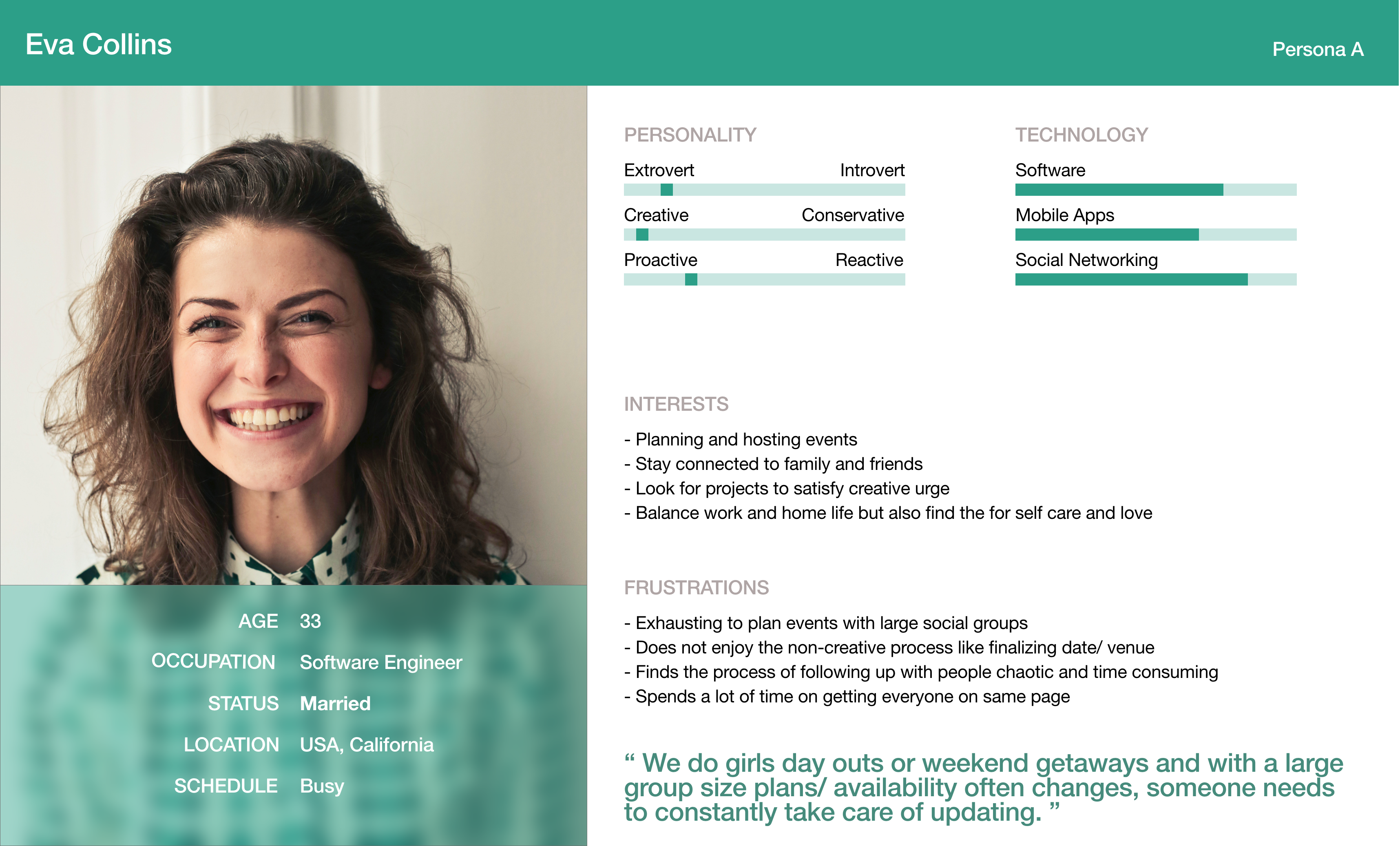
Eva Collins
Eva plans events for large friend groups and finds the coordination process exhausting — not because she lacks ideas, but because getting everyone to respond and agree takes more effort than the plan itself. She ends up manually tracking replies, nudging quiet members, and re-summarizing options that got buried in the thread.
"We do girls' day outs or weekend getaways and with a large group, site plans and availability often changes — someone needs to be on top of it."
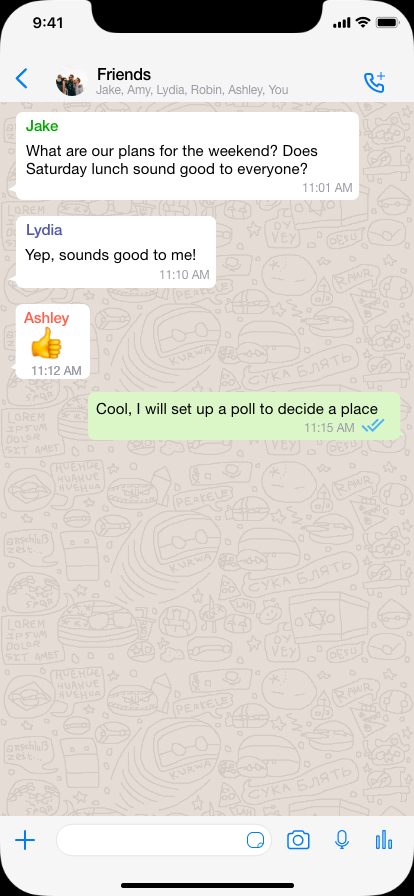
Planning decisions in WhatsApp group chats are slow and error-prone because options and replies get buried in the conversation. Without a structured way to compare choices and confirm a final outcome, planners end up manually tracking responses and repeatedly re-aligning the group.
Two job stories anchored the design — one for the person running the plan, one for the person joining it late. Both needed to feel resolved without extra steps.
When I'm organizing an event in a WhatsApp group, I want to quickly collect everyone's availability and preferences, so that I can finalize the plan without manually tracking replies.
When I'm joining a group plan late, I want to see the options clearly and vote in seconds, so that I can respond confidently without scrolling through messages.
These stories translated into four design principles that every decision had to hold up against:
Keep it native to chat
Polls should feel like part of the conversation, not a separate tool or workflow.
Make choices scannable
Options must be easy to compare at a glance without reading multiple messages.
Support async participation
Users joining late should still understand context and respond quickly.
Show decision closure
The group should clearly know when a decision has been made and what the outcome is.
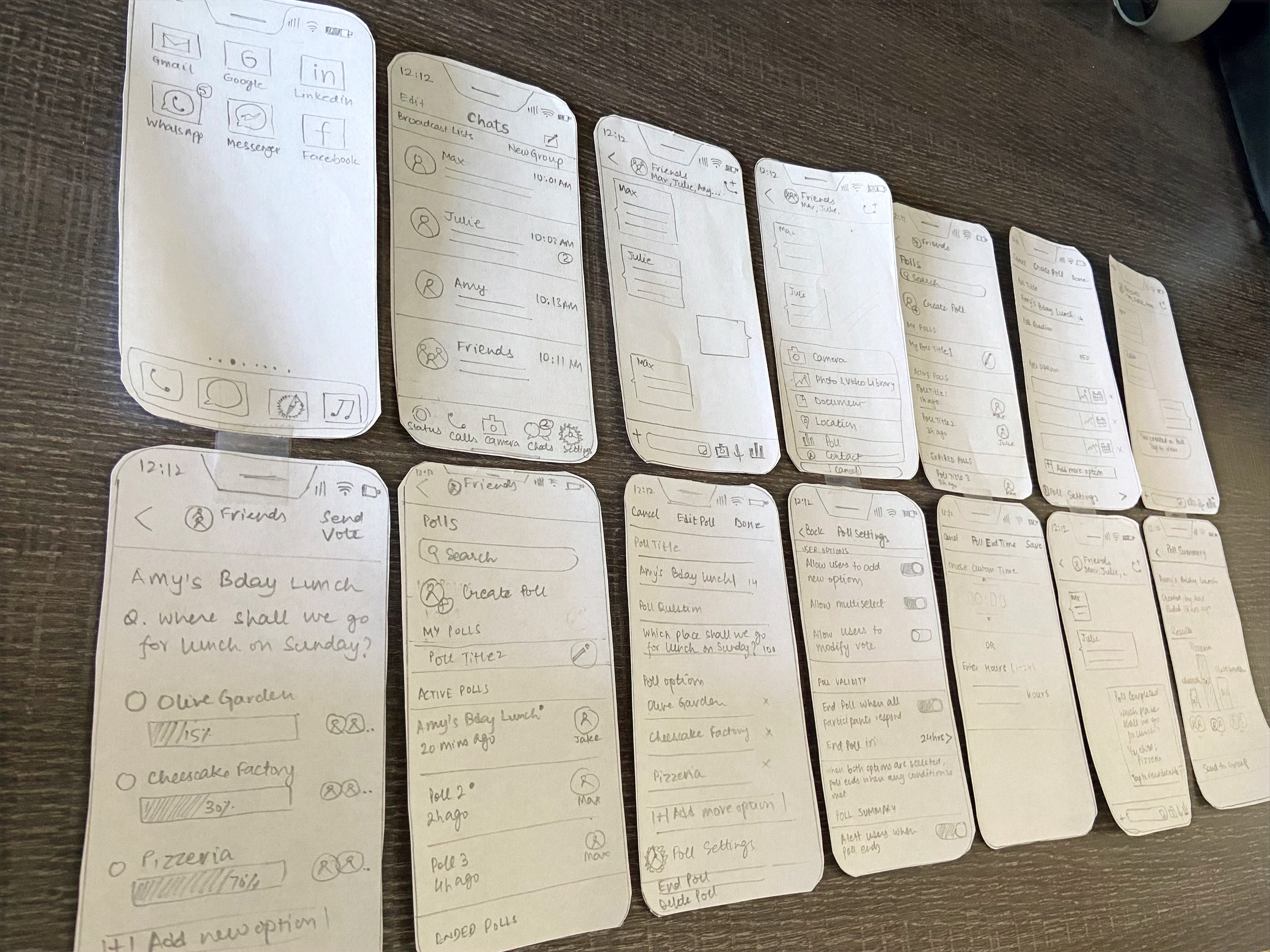
The central challenge wasn't the poll itself — it was making it feel like it belonged in WhatsApp. I explored multiple entry points and layouts to find interactions that felt immediately familiar rather than bolted on.
Sketching revealed where the entry point mattered most — menu-based vs. shortcut access, inline vs. separate poll view. Quick paper-prototype testing showed where users hesitated before a single direction was clear.
Each decision below came from a specific research finding or usability observation — not a default.
Keep voting inside the chat
Users wanted to discuss and vote without switching screens. Moving to a separate voting view broke the conversational context they needed to make a confident choice. The poll lives in the thread — always.
Provide multiple entry points
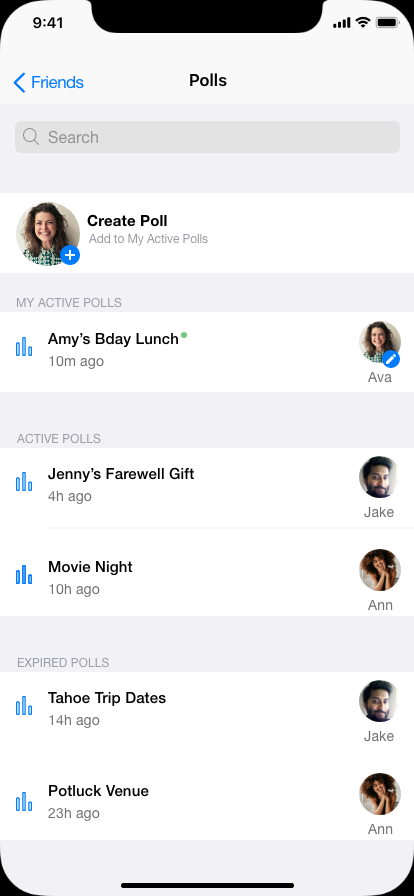
Polls are accessible from the group actions menu and from a persistent bottom nav tab. Research showed planners think of polls as a group tool, not a message type — so both access patterns needed to work.
Show participation status
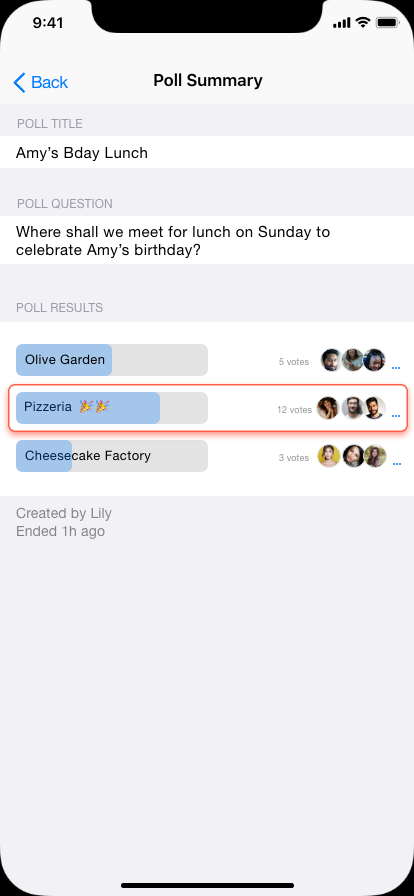
Members can see live vote counts and who has voted. This directly reduces the repeated confirmation loops identified in research — the group can see momentum without the planner having to nudge anyone.
Allow edits without confusion
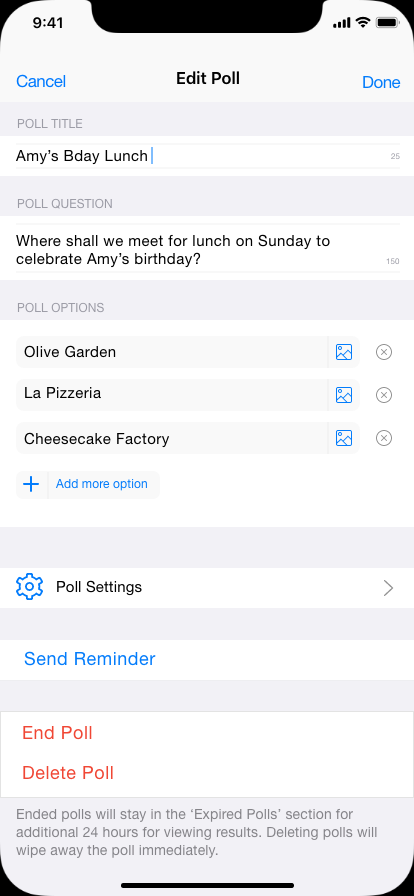
Plans change. Updating options or a deadline keeps previous responses intact and understandable — rather than forcing a restart that erases existing participation.
Create a clear closure moment
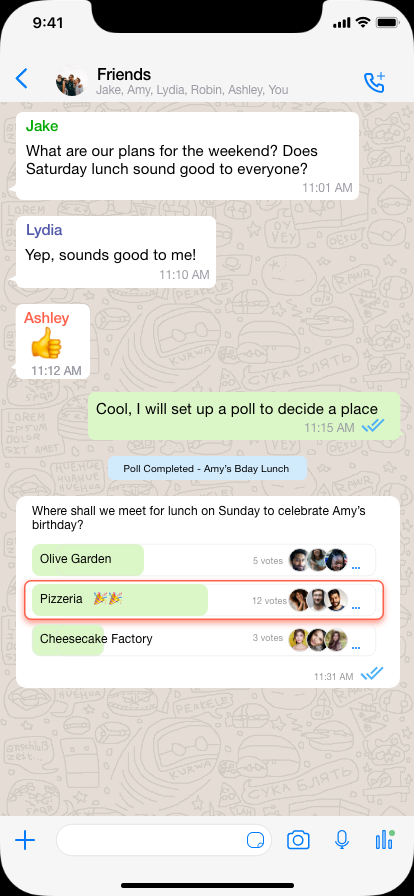
When a poll ends, the result surfaces in the chat with a winner highlighted and a "Poll Completed" marker. The group knows a decision has been made without anyone having to announce it.
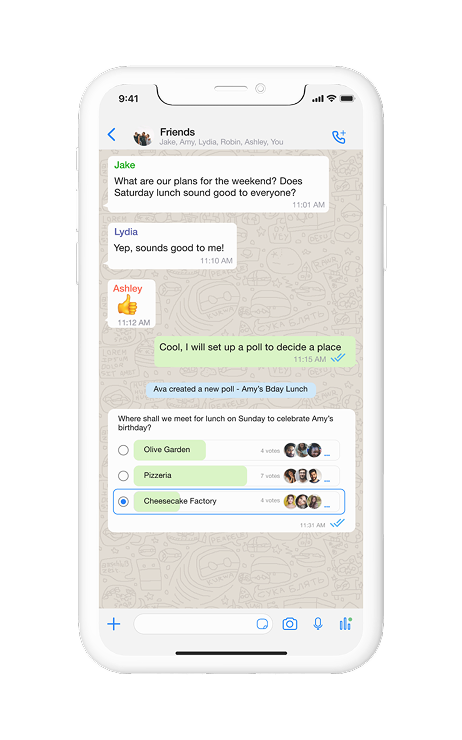
The final design introduces polls that live entirely within the group conversation — creating options, voting, and seeing the final decision all happen without leaving the thread.
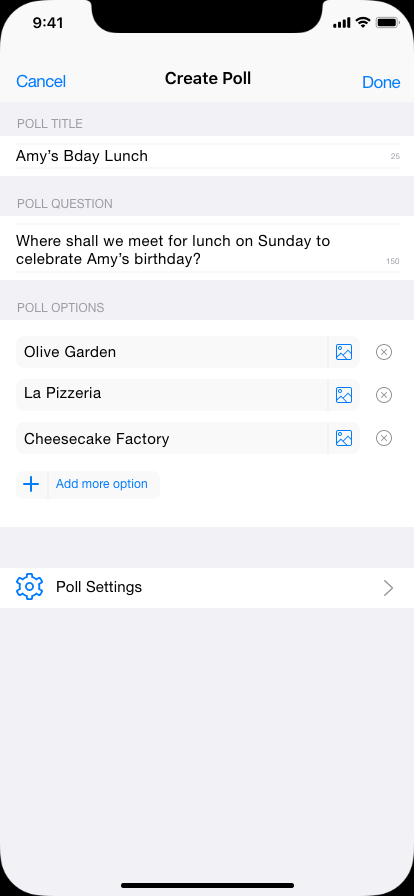
A planner structures options in one place instead of across multiple messages. Poll creation launches from familiar group actions and returns the group to chat the moment it's done.
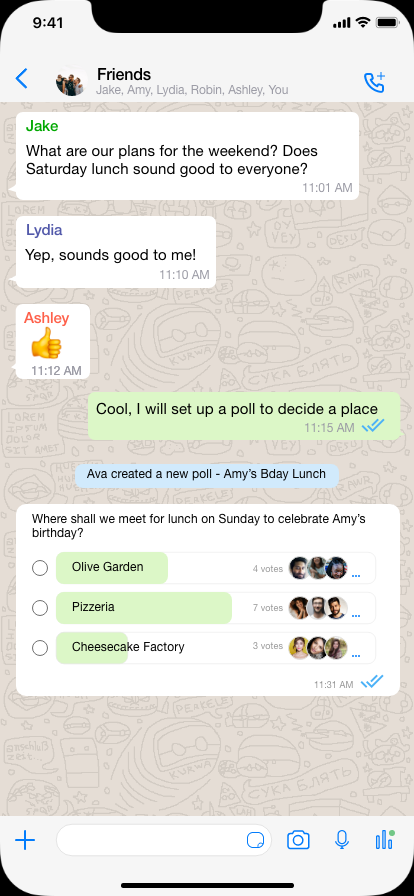
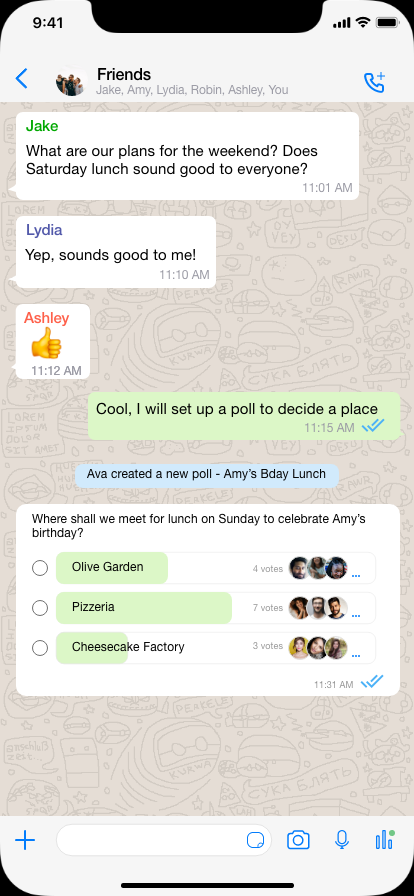
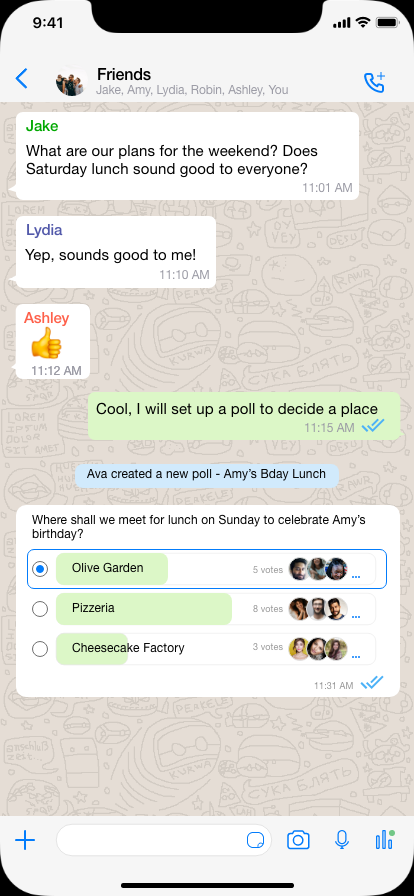
Participants vote directly within the conversation. Options are scannable at a glance, live counts show momentum, and voting never requires leaving the thread.
Polls remain editable after creation. The planner can send reminders, adjust options, or end the poll manually. When it closes, the result surfaces in the chat — so the group knows the decision without an announcement.
Explore the clickable prototype.
This is the only project in this portfolio with live usability testing. I conducted remote sessions over Zoom using a clickable prototype, evaluating three things: discoverability of poll creation, clarity of the voting interaction, and whether the experience felt consistent with how WhatsApp already works.
Familiar patterns worked immediately
Users described the design as consistent with WhatsApp and found poll creation intuitively within the group actions. No one needed prompting to find the entry point. Several also expected a quicker shortcut — which aligned with the bottom nav tab decision already in the design.
The unread dot indicator was immediately understood
The dot indicator on active polls was recognised without explanation — because it matched WhatsApp's existing unread status behaviour. Leveraging a familiar pattern meant zero learning curve for that interaction.
Voting needed to happen inline — without switching screens
Most participants wanted to vote immediately after seeing the poll in chat. An earlier iteration required tapping into a separate view to cast a vote — users hesitated or abandoned the step.
Poll options were surfaced directly inside the chat so members could vote and continue the discussion in the same thread. This was the most significant design change driven by testing.
Designing polls for WhatsApp highlighted that group decisions don't fail because people lack opinions — they fail because conversation and decision-making happen in the same stream. The most meaningful improvement wasn't the poll itself, it was creating a clear moment of closure that the whole group could see.
WhatsApp shipped polls roughly a year after this project. The core interaction — structured voting inside the conversation with visible participation — maps closely to what this exploration arrived at independently. Same constraints, similar answers.